Video Depth of Field Calculator: Mastering Cinematic Focus
Introduction: The New Frontier of DOF: Beyond Photography
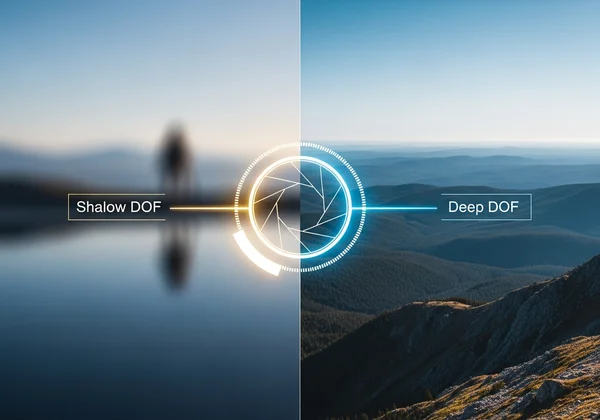
What separates a cinematic masterpiece from amateur video footage? Often, it’s precise control over depth of field (DOF)—the art of directing attention through focus isolation or maintaining sharpness across an entire scene. While our tool has long been the go-to for photographers, today we’ll explore how a revolutionary interactive DOF calculator transforms video production.
Whether you’re shooting interviews, documentaries, or cinematic narratives, claim your creative control today with our free tool to eliminate focus mishaps before filming begins!
Why Video Changes Everything About Depth of Field
Motion Blur Alters Perceived Sharpness
Unlike photography, video introduces motion—both subject movement and camera pans. The interplay between shutter speed, frame rate, and depth of field creates unique challenges. For example, a shallow DOF that looks stunning in stills might appear “jittery” in motion due to unintended focus shifts between frames.
Frame Rate Tailoring for DOF Control
Did you know your chosen frame rate (24fps vs. 60fps) impacts ideal aperture selection? At 60fps, the shorter exposure time per frame often requires wider apertures to compensate for reduced light—meaning your cinematic focus calculator must account for motion smoothness alongside DOF precision.
Essential Parameters for Video Depth of Field Optimization
Sensor Size Decisions in Video Production
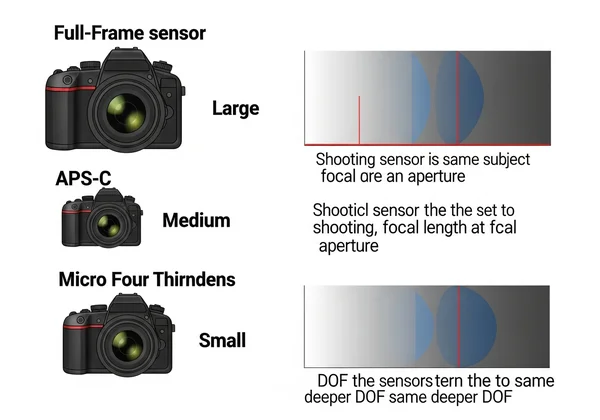
Most video shooters balance multiple sensor sizes: full-frame for bokeh richness, APS-C for run-and-gun versatility, or Micro Four Thirds for telephoto work. The crop sensor calculator built into our tool automatically adjusts field of view and DOF ranges when you switch camera models—a necessity when prepping multi-camera shoots.
Aperture Choices Beyond Aesthetics
While f/1.8 creates beautiful bokeh, it may force focus pullers into unsustainable precision during tracking shots. Use our linked f-stop calculator to test how stopping down to f/4 could increase your margin of error while retaining artistic intent.
Ada makes a critical note in the video tutorial: “In video, even a slightly misjudged aperture can force costly reshoots. Our hyperfocal distance calculator lets me plan safe zones when shooting fast-paced documentaries.”
Practical Applications: Using the DOF Calculator for Video Scenarios
Shallow DOF for Interviews: The Professional’s Edge
For captivating talking-head footage:
- Input your camera model (e.g., Sony A7IV)
- Set a medium telephoto (85mm)
- Adjust aperture until the “Total DOF” field shows 0.3m–perfect for keeping eyes sharp while softening backgrounds
- See real-time results here
Video DP Carlos Martinez shares: “Using the camera simulator, I realized a 50mm lens at f/2.8 actually gave smoother focus transitions than my usual 85mm setup. Saved a shoot when the actor kept leaning forward!”

DOF Maximization for Establishing Shots
When filming landscapes or architectural scenes:
- Use the hyperfocal priority mode
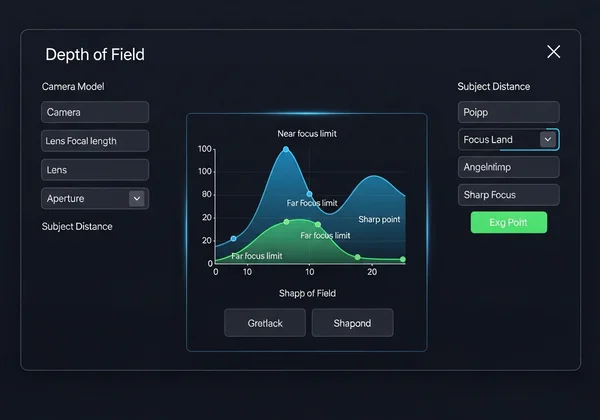
- Confirm foreground-to-infinity sharpness via the dynamic visualization chart
- Export calculations to share with your focus puller
Filmmaker Lisa Nguyen avoided 2 hours of reshoots on a desert shoot after discovering her 24mm lens needed f/11 (not f/8) to keep both cacti and distant mountains sharp—verified via the DOF simulator.

Advanced Techniques: Focus Breathing & T-Stop Precision
Conquering Focus Breathing
Focus breathing—focal length shifts during focus pulls—can ruin your shot composition. While high-end cine lenses minimize this, our tool helps newer shooters compensate:
- Test your lens’s breathing effect physically
- Input the measured focal length variance
- Let our calculator adjust distance parameters automatically
T-Stop vs. F-Stop in Video Workflows
For exposure-critical scenes (e.g., long takes under changing light):
- F-stops measure aperture size only
- T-stops (used in cine lenses) account for light transmission loss
- Our DOF calculator accommodates both—crucial when matching shots across different lenses
Pro Tip: When using vintage photo lenses for video, input their measured T-stop values via “Custom Settings” for truer calculations.
Your Next Step Toward Cinematic Focus Perfection
Controlling depth of field in video merges art and physics—but no cinematographer should guess their way through it. The DOF calculator at DOFCalculator.org erases uncertainty by letting you: ✅ Test lens/aperture combos instantly ✅ Visualize focus falloff before shooting ✅ Export hyperfocal data for your crew
Try the video-specific preset mode now—then explore our entire archive of focus mastery guides for filmmakers and photographers alike. The next Oscar-worthy shot begins with one calculated decision!
Video Depth of Field Essentials
How does DOF work differently in video vs. photography?
Video introduces time as a critical factor. Motion-blurred frames may appear out of focus even when DOF is technically accurate. Our depth of field video simulator shows how movement impacts perceived sharpness.
What’s the ideal aperture for "cinematic" footage?
It depends entirely on sensor size, subject distance, and desired effect. For a classic “film look,” link to our calculator for frame rate-specific recommendations.
How do I calculate focus pull distance?
- Plot start/end points
- Input both distances into the calculator
- Check if your chosen aperture keeps both points sharp or requires a midpoint adjustment Start plotting perfect focus pulls
Does sensor size affect DOF in video?
Absolutely! Smaller sensors (e.g., Super 35mm) extend practical DOF versus full-frame at equivalent apertures. Our depth of field chart generator compares formats visually.
Why care about focus breathing in video?
It alters composition during focus pulls, requiring unwanted reframing. High-end lenses minimize this, but you can simulate adjustments first.